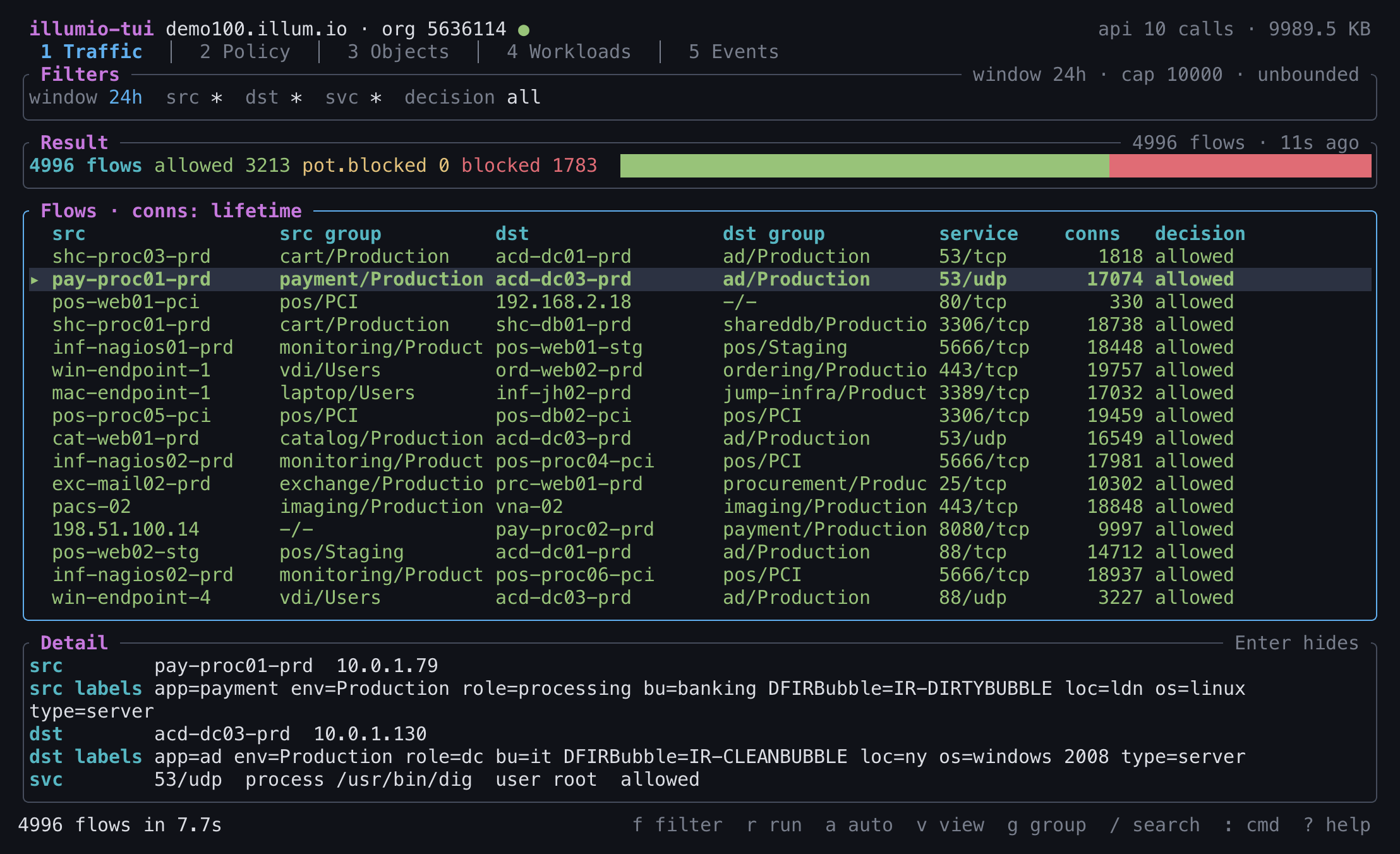
I built illumio-tui, a free, open-source terminal app and command-line tool for the Illumio Core PCE. Use it to explore traffic, check enforcement readiness and draft policy without opening the web console. It's a community project, not an official Illumio product.\
What it does
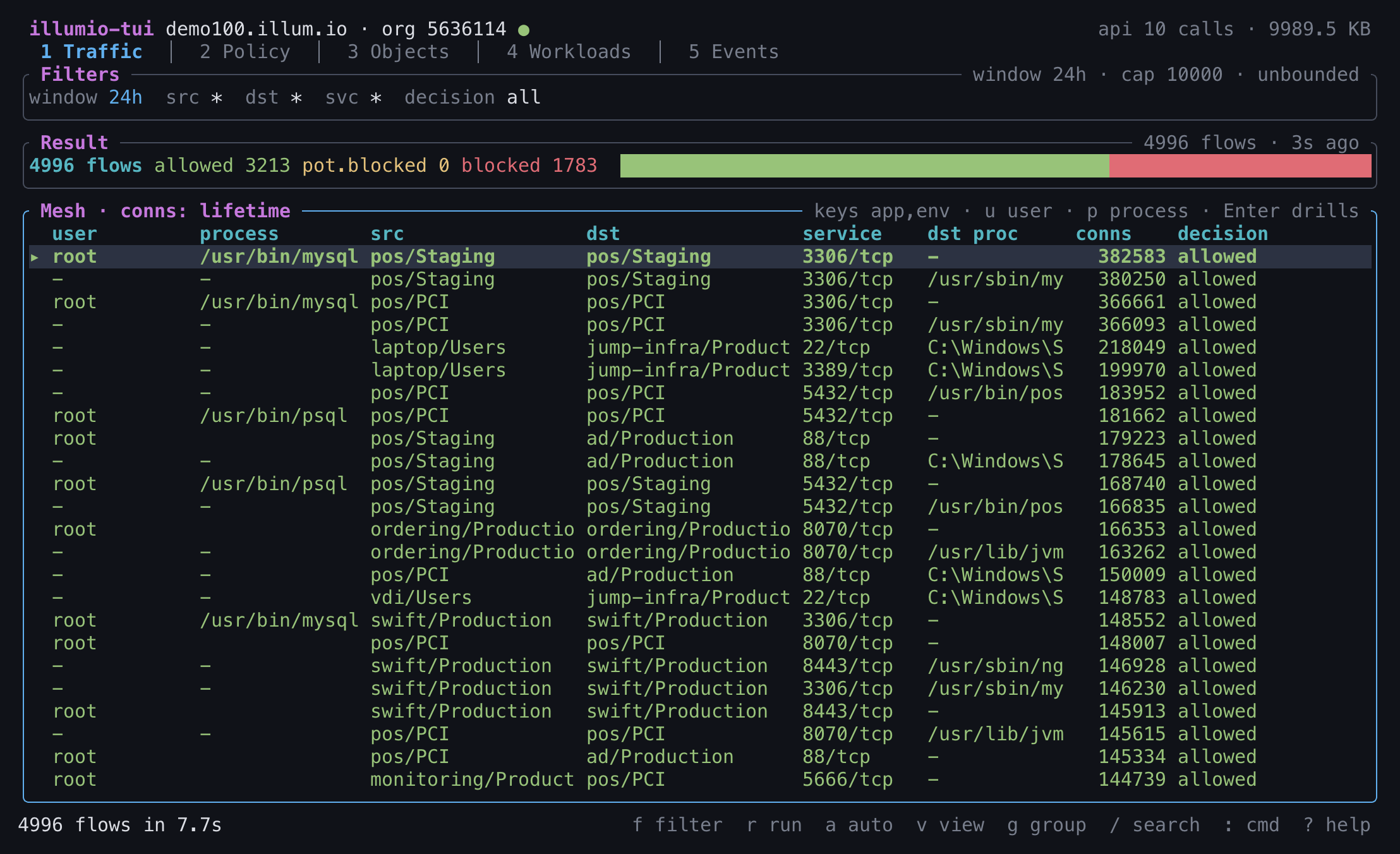
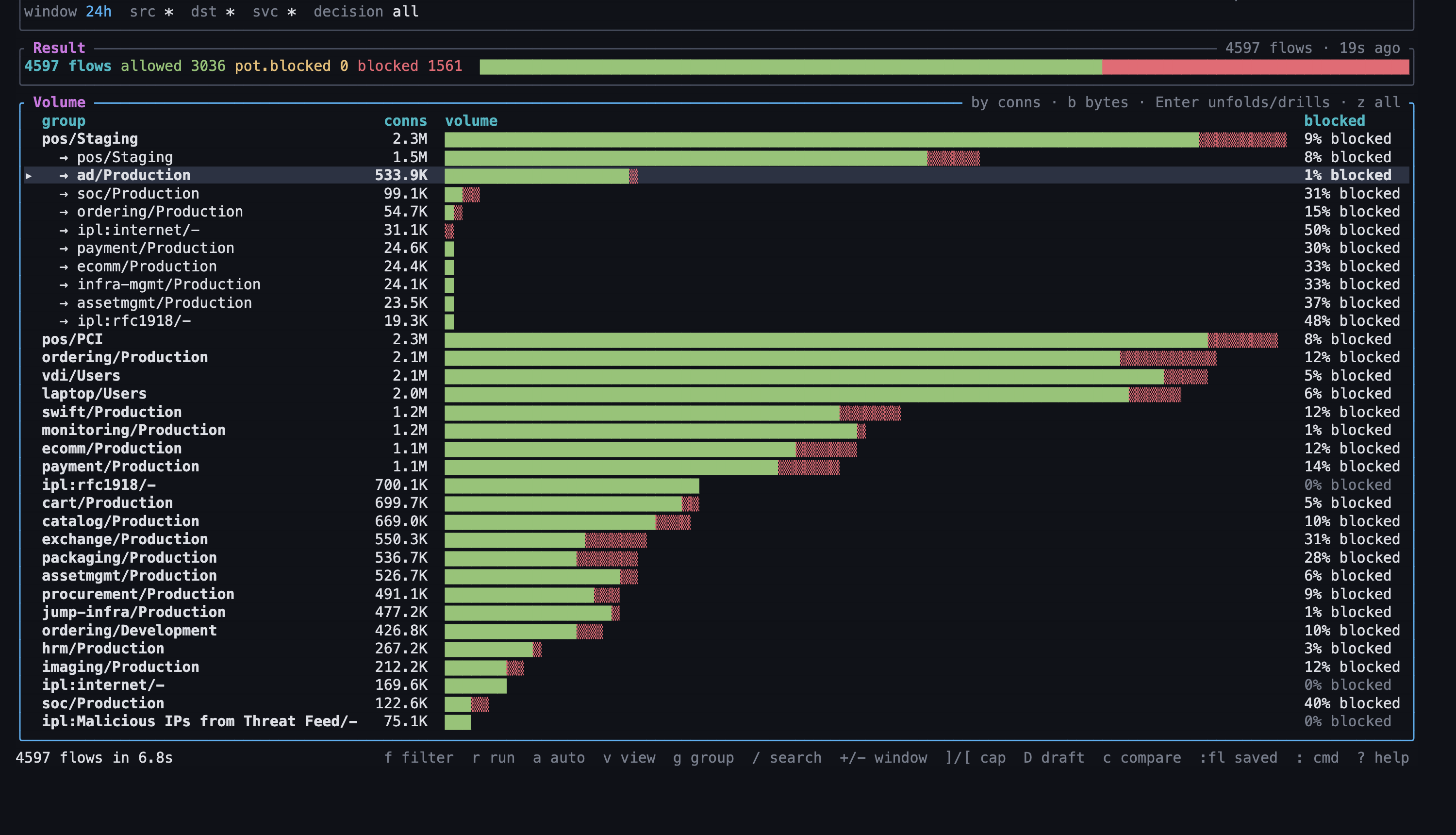
- Traffic explorer: filter flows by label, service or port; group them into app pairs; see what's new since a baseline. The Volume view shows where your bytes and connections go.
- Enforcement readiness: see per app which flows would be blocked, with
explain showing which rule allows a flow or why none does.
- Policy: search rules by scope, source and destination; see where a label or object is used; generate draft rules from observed traffic; preview the impact of a provision before you run it.
- Workloads and VENs: label filters, bulk label and enforcement-mode changes, VEN health and versions.
- Events: filter by type, severity and actor.
- Scripting: every screen has a CLI equivalent with JSON or CSV output and meaningful exit codes, ready for cron jobs and CI checks.
Gentle on your PCE
Nothing refreshes on its own. Every request is triggered by you, throttled, cached and counted, and the request count is always on screen. Writes are opt-in and show what they will change first.
Get it
Docs, screenshots and short videos: alexgoller.github.io/illumio-tui. Source (GPL-3.0): github.com/alexgoller/illumio-tui.
Feedback welcome
Try it against a lab or demo PCE first, then tell me what's missing. Feature requests and bug reports are welcome here or as GitHub issues.
------------------------------
Alex Goller
[Job Title]
Illumio
[City] [State]
------------------------------